Wait, is this the fix to that annoying thing when you copy a large file to a slow USB/SDCard and the OS instantly reports the copy as being complete, but actually it’s just been written to RAM and is slowly being written to the actual media in the background, and if you “safely remove” the device you just have a broken incomplete file? Is this the fix for that, finally!?
For me, sometimes with huge files even if the copy process ended, and I do a “safely remove”, sometimes I still have to wait a big chunk of time. Safely remove is actually safe, nothing should be left. I also thought this was a feature of the filesystem, where it caches and optimizes the actions before doing it under the hood.
With something like System Monitor you should be able to see if anything is writing or reading on the filesystem constantly, before you do a disk remove.


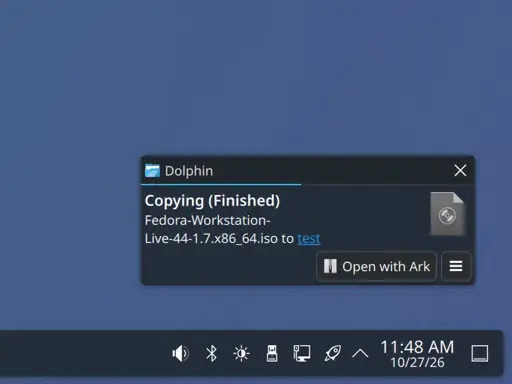
Wait, is this the fix to that annoying thing when you copy a large file to a slow USB/SDCard and the OS instantly reports the copy as being complete, but actually it’s just been written to RAM and is slowly being written to the actual media in the background, and if you “safely remove” the device you just have a broken incomplete file? Is this the fix for that, finally!?
Edit: YES, YES IT IS! HOLY SHIT, AMAZING!
The safely remove actually forces the data to be written on the disk.
Hmm, that might mean I have another issue as well. Since safely remove would just remove the device instantly without waiting…
For me, sometimes with huge files even if the copy process ended, and I do a “safely remove”, sometimes I still have to wait a big chunk of time. Safely remove is actually safe, nothing should be left. I also thought this was a feature of the filesystem, where it caches and optimizes the actions before doing it under the hood.
With something like System Monitor you should be able to see if anything is writing or reading on the filesystem constantly, before you do a disk remove.
I have hated “Safely Remove” from back when I was on Windows.
Always did weird GUI stuff and does on this too.
So I just use
syncand when it properly finishes, I do safely remove.I always assumed “safely remove” is just a umount which in turn does the sync before returning.
I type
sync, then unmount/eject, then safely removeCan’t be too careful
Same, waiting for sync -f to finish would help most of the time.
I had the same with exFAT I think, maybe that is fixed too lets hope